Question
- Where do I add or complete the details for my application?
Solution
- View your app in the Partner Portal
- Expand the Settings and details section
- Complete the Settings and details section
- Click Save app details
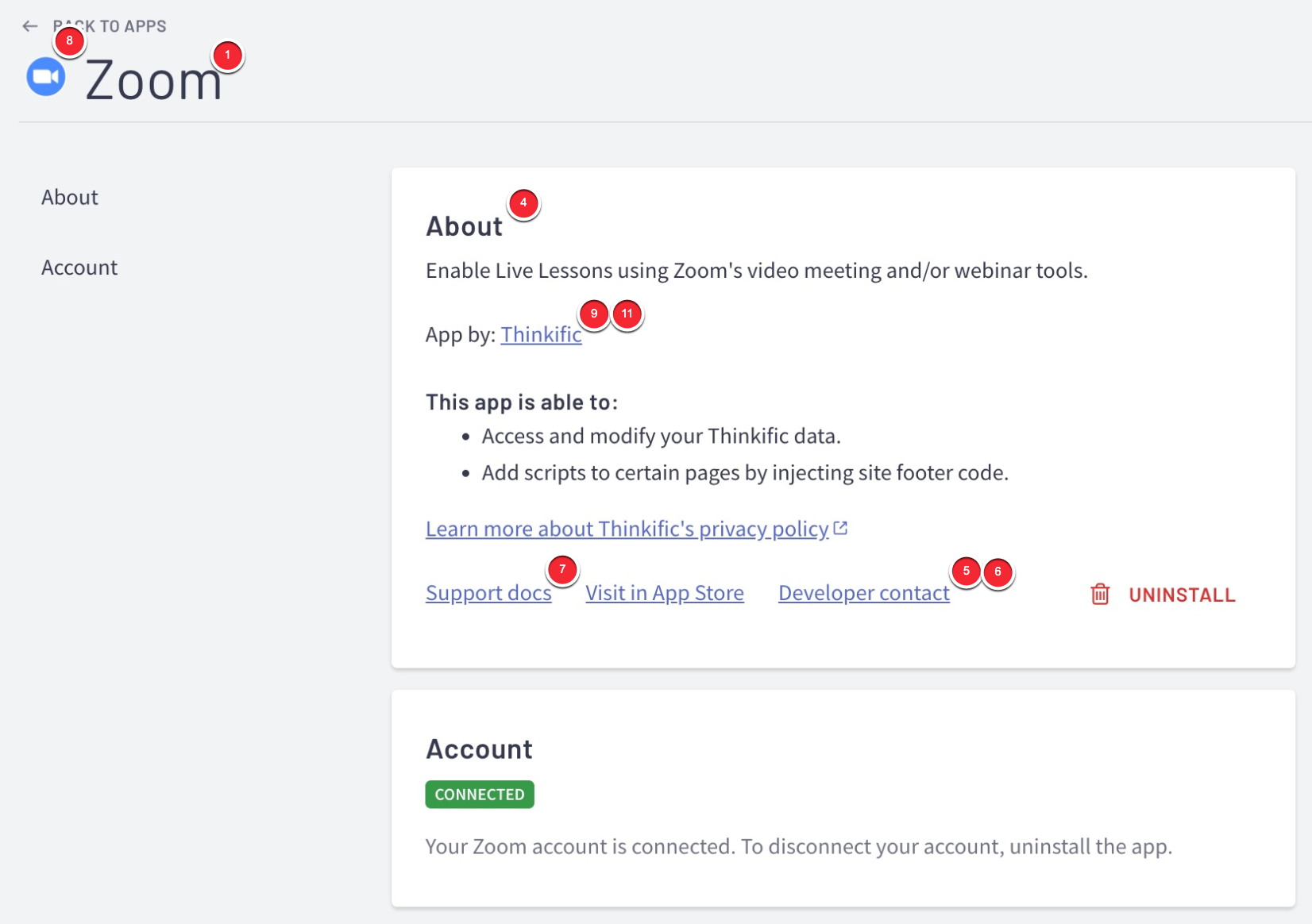
| # | Setting or Detail | Description |
| 1 | App name * | The name of app as it will appear in /manage/apps |
| 2 | App URL * | Where your app is hosted |
| 3 | Callback URLs * | The callback URL(s) called after authorization |
| 4 | Description * | The description of your app as it will appear in /manage/apps |
| 5 | Customer support email * | The email address a user will use to contact your support team. This will be linked under Developer contact in /manage/apps |
| 6 | Customer support contact form URL | A link to a contact form, if contact form is preferred over email. If you include a link here, it will override the customer support email. |
| 7 | Support documentation link * | A link to your apps Thinkific-specific help documentation. This will be linked under Support docs in /manage/apps |
| 8 | App icon URL | Click upload to upload your app icon as it will appear in /manage/apps |
| 9 | Author or company name * | The name of your company as it will appear in /manage/apps |
| 10 | API contact email | The email address where Thinkific will send technical info and status updates. |
| 11 | Marketing website | A link to your marketing site as it will appear in /manage/apps |
Settings or Details with an * are required fields.
Important Considerations
Filling out your app's profile is required before it can be listed on the Thinkific App Store.